Book Appointment Now
How an IPTV Reseller Panel Works for New Resellers in 2026
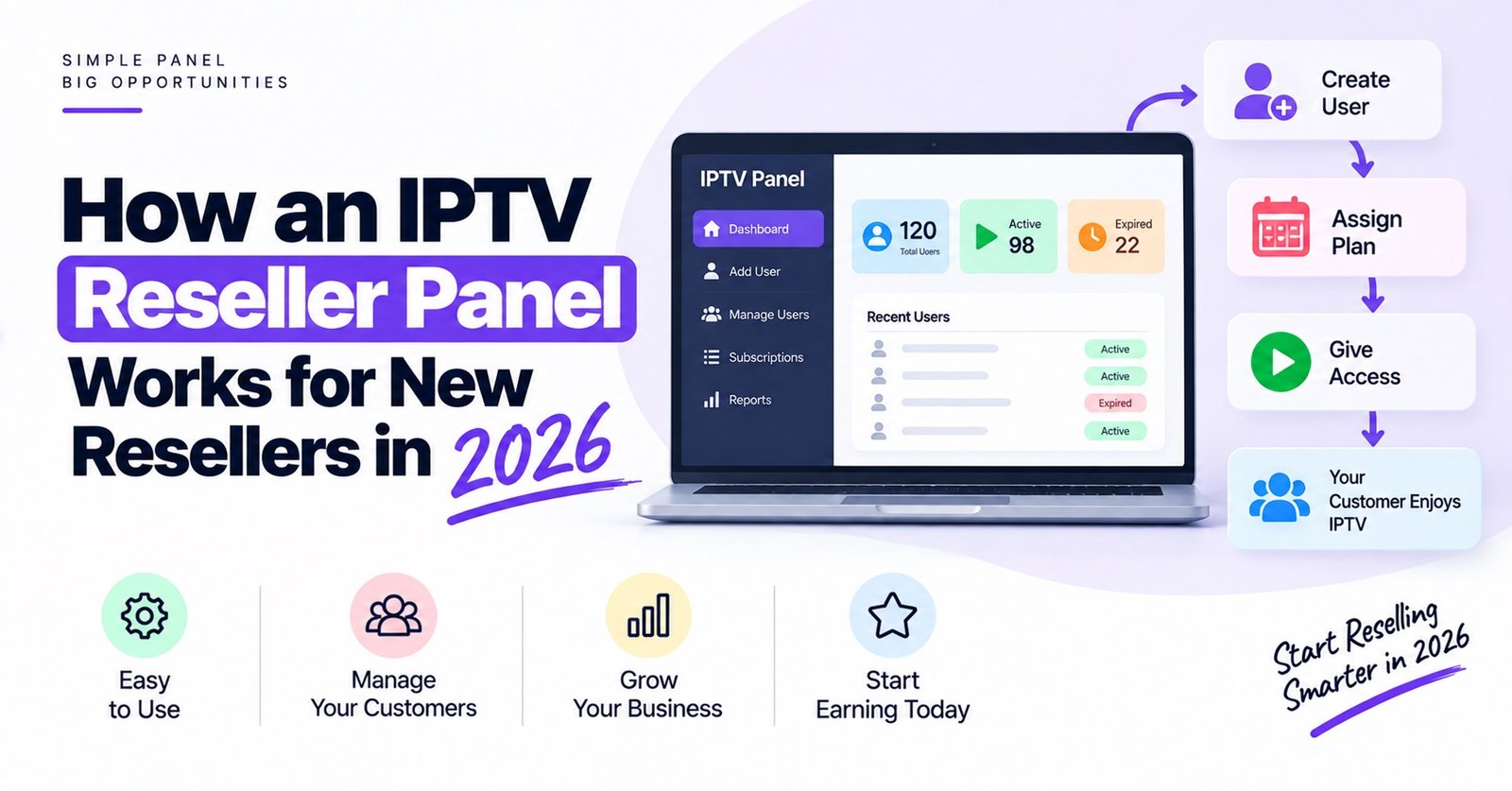
How an IPTV Reseller Panel Works comes down to one exchange: you buy credits from a provider, then spend those credits inside a web dashboard to create subscriber accounts that run on the provider’s servers. You never host a stream yourself. The panel is a control room that lets you create, extend, suspend and monitor accounts, while the provider’s infrastructure does the actual delivery.
The part new resellers most often get wrong is treating the panel as the service. It is not. A tidy dashboard tells you nothing about the servers behind it, so before you buy your first credit package, find out who operates the infrastructure, what happens to your active lines if your account is ever closed, and whether unused credits carry any expiry. Those three answers shape your business far more than the colour scheme of the dashboard.
Three Layers Sit Behind Every Panel
It helps to picture the setup as three stacked layers, each owned by someone different.
The bottom layer is the provider’s infrastructure: the servers, the middleware that authenticates users, and whatever delivery network carries the streams. As a reseller, you have no direct access to any of this, and you cannot tune it.
The middle layer is the reseller panel. This is a web application sitting on top of the provider’s middleware, with permissions trimmed so that you can manage only your own customers. When you click “create line”, the panel sends an instruction to the middleware, which generates the login details and records the expiry date.
The top layer is the subscriber’s device and player app. It connects straight to the provider’s servers using the credentials your panel produced. Your panel is not in that path at all, which is why a dashboard can load perfectly while a customer’s stream struggles, and the other way round.
Once that picture is clear, most support conversations become easier, because you can tell quickly which layer a problem belongs to.
Following One Order Through the Panel
The simplest way to understand the workflow is to follow a single customer from payment to playback.
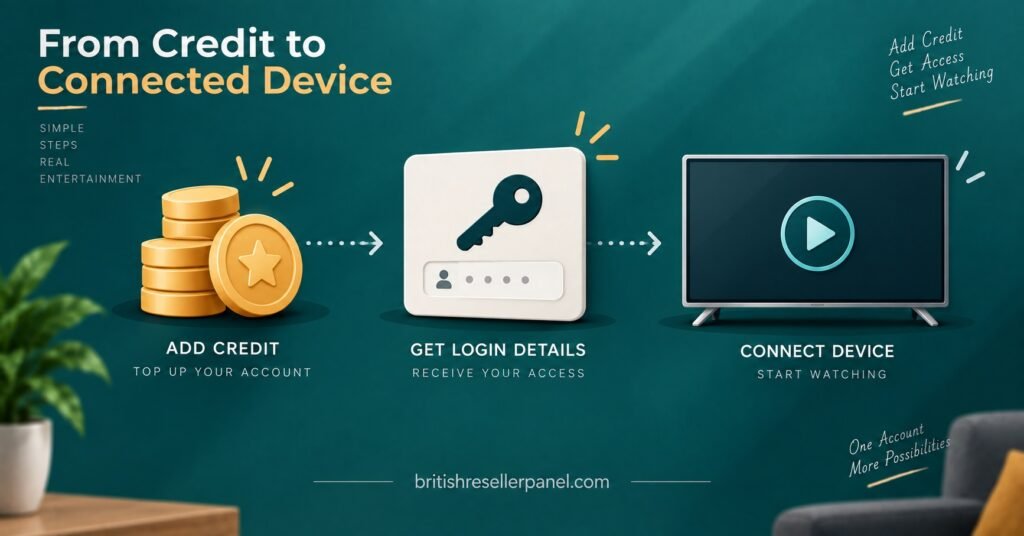
Credits land in your balance
You buy a credit package from your provider or parent reseller. The credits appear in your panel balance, usually straight away once payment clears. Think of them as stock you have paid for in advance rather than money sitting in a wallet. Whether they can be refunded, transferred or left unused indefinitely depends entirely on the provider’s terms, so read those before buying a large package.
You create a user line
When a customer orders, you open the “add line” or “new user” screen and fill in a handful of fields: a username and password (or let the panel generate them), the subscription length, the number of simultaneous connections allowed, and the content package assigned to that line. Some panels also ask for a device MAC address at this stage if the customer uses a portal-based set-top box.
The panel checks your balance, deducts the credits for the chosen length, and confirms the line.
Credentials go to the customer
The panel then shows the connection details. Depending on the customer’s device, that might be a server URL with a username and password for a player app, a playlist link, or a registered MAC address for a set-top box that connects through a portal. Many panels let you copy all formats from one screen, which saves a lot of back-and-forth on messages.
Pro tip: Keep a short, plain-English setup note for each device type you support and paste it with the credentials. Most first-week support requests are setup questions, not service faults.
The device connects and the clock starts
When the customer logs in, their device talks to the provider’s middleware, not to you. The middleware checks that the line is active, not expired, and within its connection limit. If all three are true, playback begins. If the customer tries to use more devices than the line allows, the extra connection is refused or an older one is dropped, depending on the provider’s settings.
Expiry, renewal or suspension
Every line carries an expiry date. When it passes, access stops automatically. To renew, you extend the line from the dashboard and the panel deducts credits again. You can also disable a line manually, for example if payment bounces, without deleting the customer record.
Where Credits Actually Go
Credits are the unit your whole margin is built on, so it is worth knowing exactly when they move.
On many panels one credit equals one month of service, with longer subscriptions costing proportionally more credits. Some providers price longer terms slightly lower per month to encourage annual sales. There is no industry-wide standard, so compare the credit cost of each subscription length before you set your own retail prices.
| Panel action | What usually happens to credits |
|---|---|
| Creating a paid line | Credits for the chosen length are deducted immediately |
| Extending an existing line | Credits for the extra period are deducted |
| Creating a trial line | Often free or a reduced cost, depending on the provider |
| Disabling or deleting a line | Credits are normally not returned, unless the provider has a stated refund window |
| Transferring to a sub-reseller | Credits leave your balance and appear in theirs |
The row that catches people out is the fourth one. Deleting a line by mistake, or creating one with the wrong subscription length, can cost you credits you will not get back. Check the line details before confirming, especially when working quickly.
The credit history log is the other tool worth learning early. A good panel records every deduction, extension and transfer with a timestamp, which makes it far easier to reconcile what you have spent against what customers have paid you.
How an IPTV Reseller Panel Works Once You Add Sub-Resellers
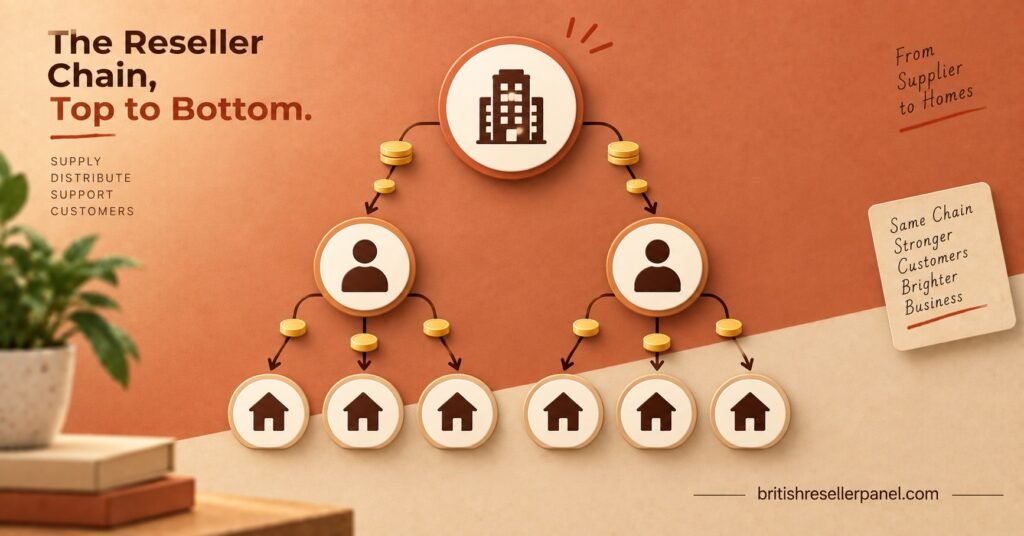
Most panels let you create reseller accounts beneath your own. The mechanics are straightforward: you create a sub-reseller login, transfer some of your credits to it, and that person then creates lines for their own customers using the same process described above.
What changes is responsibility. You can usually see the lines your sub-resellers have created and, on some panels, edit or disable them. They cannot see your customers or your provider’s pricing. That visibility runs one way, down the chain.
The dependency also runs one way. If your account is suspended or your provider has an outage, every sub-reseller below you is affected, and their customers will contact them, who will then contact you. Before bringing anyone on, agree in writing who handles first-line support, what the sub-reseller may promise their customers, and what happens to their credits if the arrangement ends.
Pro tip: Transfer credits to a new sub-reseller in small batches at first. It limits your exposure while you see how they handle customers and support.
Pricing is the other decision. The margin a sub-reseller earns comes out of the gap between what they pay you per credit and what they charge customers, so price their credits with enough room for them to make the arrangement worthwhile, and enough for you to cover the extra support load.
What the Panel Cannot Do for You
A reseller dashboard gives you administrative control. It does not give you control over quality, and it is worth being honest with yourself about that before you sell anything.
It cannot fix buffering. Stream stability depends on the provider’s servers, the customer’s internet connection, their home network and their device. Your panel can confirm that a line is active and within its connection limit, which rules out account problems quickly, but beyond that you are relying on the provider.
It cannot guarantee uptime. If the provider’s infrastructure goes down, every line on every IPTV reseller panel connected to it goes down too. How quickly the provider communicates during an outage matters more than any uptime claim on a sales page.
It cannot make content lawful. IPTV is a delivery technology, and a panel is simply account management software. Whether a service is legitimate depends on whether the content carried has been properly licensed for the regions where it is sold. A professional-looking dashboard, a card payment option or a registered company name does not settle that question. Ask the provider directly what rights cover the content, and be cautious if the answer is vague.
It cannot protect your customer relationships if you do not own them. If a provider can see and contact your end users directly, or if your account can be closed without notice, your business is only as secure as that provider’s goodwill.
Signs a Panel Is Built for Running a Business
Once the basics are clear, the differences between panels show up in the day-to-day details. When trialling one, check whether it offers:
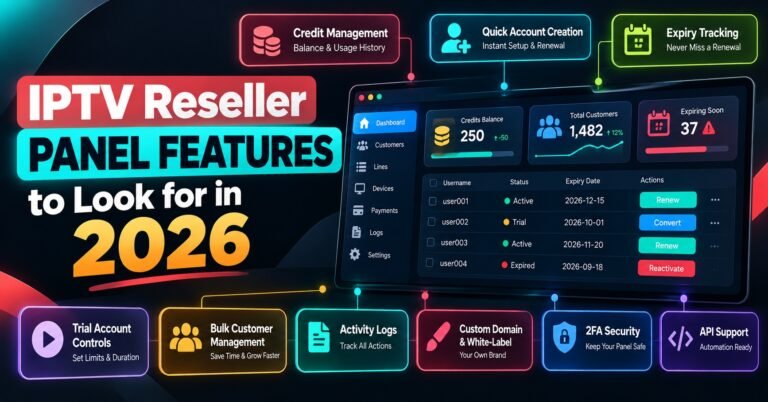
- A full credit history with timestamps, so you can reconcile spending against sales
- Bulk actions for extending or disabling several lines at once
- Clear expiry views, ideally with a filter for lines expiring in the next week
- Connection monitoring that shows how many devices each line is using
- Sub-reseller controls with credit transfer limits
- Trial line creation that expires automatically, with no manual cleanup
- A documented support route for IPTV resellers, separate from end-user support
A free trial of the dashboard itself, not just of a subscriber line, is useful here. Spend the trial creating test lines, extending them, disabling them and checking the logs. Ten minutes of clicking through real tasks tells you more than any feature list.
Pro tip: Test the panel on your phone as well as a laptop. A lot of renewals and quick fixes happen away from a desk, and some dashboards are painful on a small screen.
Questions Resellers Ask Before Their First Top-Up
Do I need my own servers to run a reseller panel?
No. The provider runs all streaming infrastructure. Your panel is a web login that manages accounts on their system, so you only need a device with a browser.
Can a customer’s login keep working if I stop being a reseller?
Usually a line keeps running until its expiry date, but this depends on the provider’s policy. Some providers disable all lines under a closed account. Ask before you commit.
Why can a customer stream when my dashboard shows an error?
Because the dashboard and the streams travel separate routes. The customer’s device connects directly to the provider’s servers, while your panel talks to the management side. One can fail without affecting the other.
Can I change a customer’s device without creating a new line?
On most panels, yes. You can edit the line to reset a MAC address or change credentials without spending new credits, although exact options vary.
Are trial lines taken from my credit balance?
Some providers offer free trials, some charge a small number of credits, and some limit how many trials you can create per day. Check your panel’s trial settings before offering tests to prospects.
Where to Go From Here
How an IPTV Reseller Panel Works is less complicated than it first looks: credits go in, user lines come out, and the provider’s infrastructure carries everything else. Your job is account management, customer setup and support, while the provider remains responsible for delivery and, crucially, for having the rights to what is delivered.
The panel will not protect you from a weak provider, and it cannot turn an unlicensed service into a legitimate one. So spend as much effort checking who stands behind the dashboard as you spend learning the dashboard itself. If you want to see how a UK-focused setup handles credits, lines and sub-reseller accounts, you can explore the British IPTV reseller panel for UK IPTV resellers and compare it against the checks above.
First-Week Reseller Checklist
- Read the provider’s terms on credit refunds, credit expiry and account closure
- Create one test line for each device type you plan to support
- Write a short setup note for each of those devices
- Confirm how the provider notifies resellers about outages
- Check the credit log after every transaction for the first few days
- Decide your retail prices only after comparing the credit cost of each subscription length
- Hold off on sub-resellers until you have handled your own support comfortably for a few weeks
[…] a week, sort your lines by expiry date and message customers a few days before their line ends. IPTV Resellers who wait for the customer to notice usually find out after the line has already dropped, which is […]